Enter the facts once. Every screen is worked out from them.
Buildings, suites, leases, tenants, charges and receipts are what you type in. Occupancy, the rent roll, aging, CAM shares, owner statements and the Monday queue are computed from those, as of the date in the top bar. The screenshots below are from a sample company on the live app. Pricing is here.
Try the idea
Move the date. The building follows.
This is the rule under every screen. Five suites, six leases, one date. Nothing below is stored; it is all worked out from the leases when you move the slider. In the app the date sits in the top bar and does the same to the whole company.
As ofSep 1, 2026
Jan 2026Jan 2027Dec 2027
Occupancy by SF
86.9%
Scheduled rent
$40,158
Expiring ≤ 12 mo
2
or drag the slider
Suite
Tenant
RSF
Status
Monthly
Sample facts. Rent = RSF × $/RSF/yr ÷ 12. Occupancy = leased RSF ÷ 18,300 rentable. A lease is "expiring" when it ends within twelve months and no renewal term follows it.
Overview · Today
A work queue, ranked by consequence.
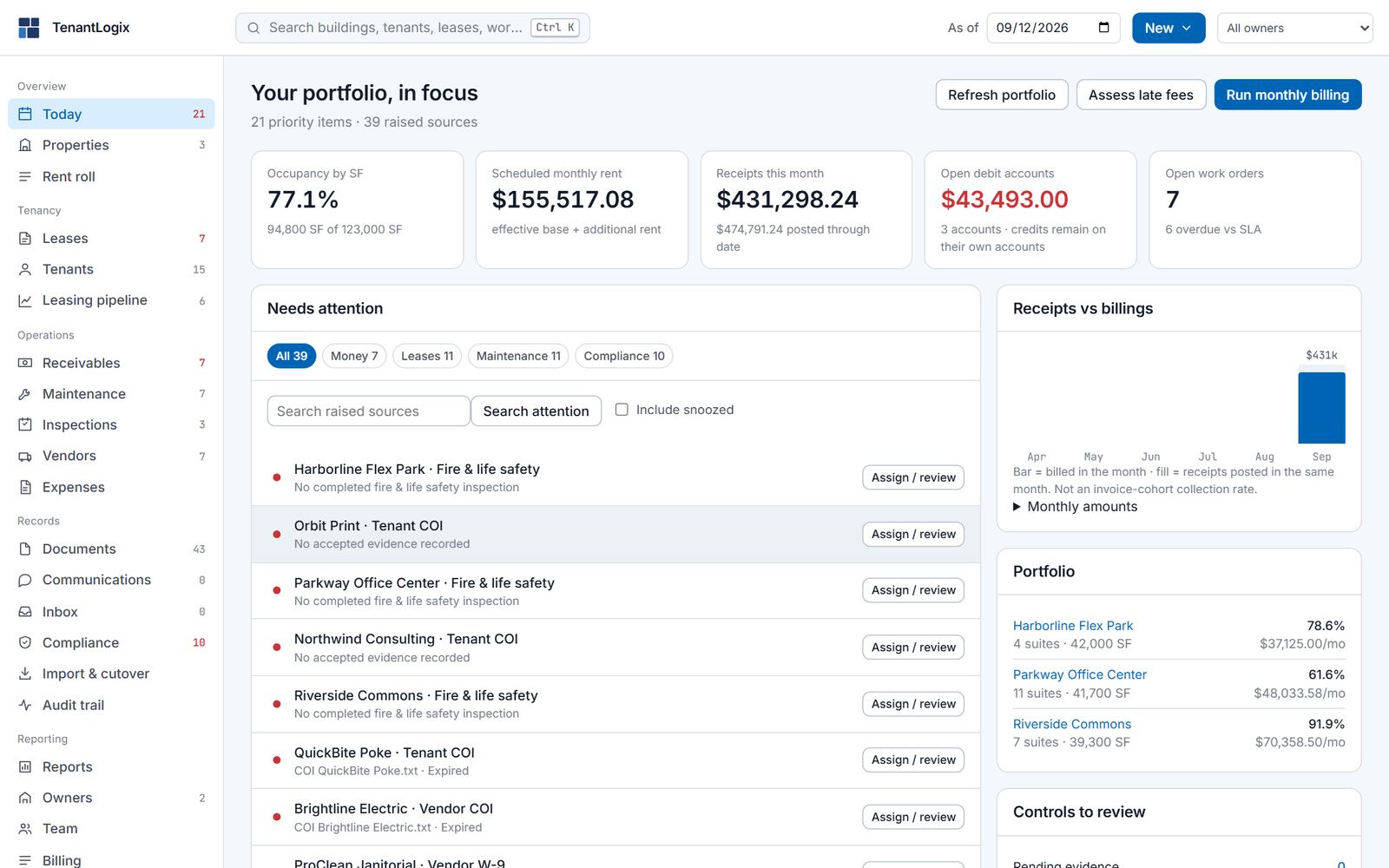
Today opens on what needs a person: money first, then leases, maintenance and compliance. Each row is one click from the record where you fix it. Assign it, review it, or snooze it with a reason. The right column keeps receipts against billings, the portfolio, and the controls waiting on review.
21 priority items39 raised sourcesRun monthly billingAssess late fees
Today
Overview · Properties
Buildings, measured in square feet.
Each building shows occupancy as leased area over rentable area, scheduled rent, open work orders and the mix by property type. Open one for its suites, the lease on each, floors, year built, the owner and the management fee that applies.
3 buildings · 22 suites123,000 SF rentable77.1% leased
Properties
Overview · Rent roll
One row per suite, as of any date.
Base rent, additional rent, the lease term and the account balance for every suite, grouped by building. Pick a date in the top bar and the roll shows what was, or will be, scheduled on that day. Download it as a PDF, export the CSV, or print it for an owner.
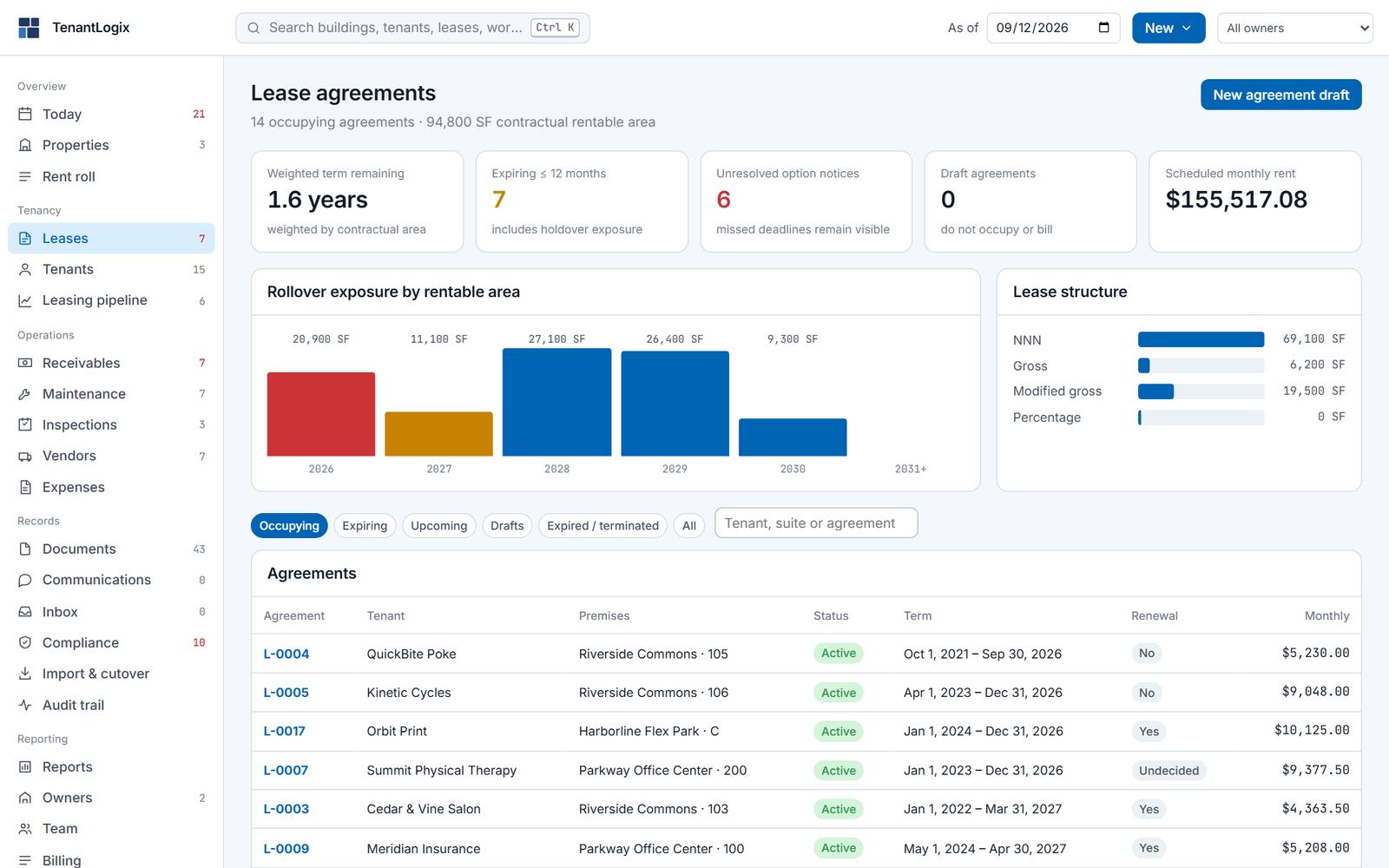
NNN, gross and modified gross leases. Rent steps and abatements with their dates. Options and rights with a notice deadline, and a recorded decision for each one, so a missed deadline stays visible instead of disappearing. Drafts do not occupy space or bill. Rollover exposure is charted by year in rentable area, and the weighted remaining term is on the page.
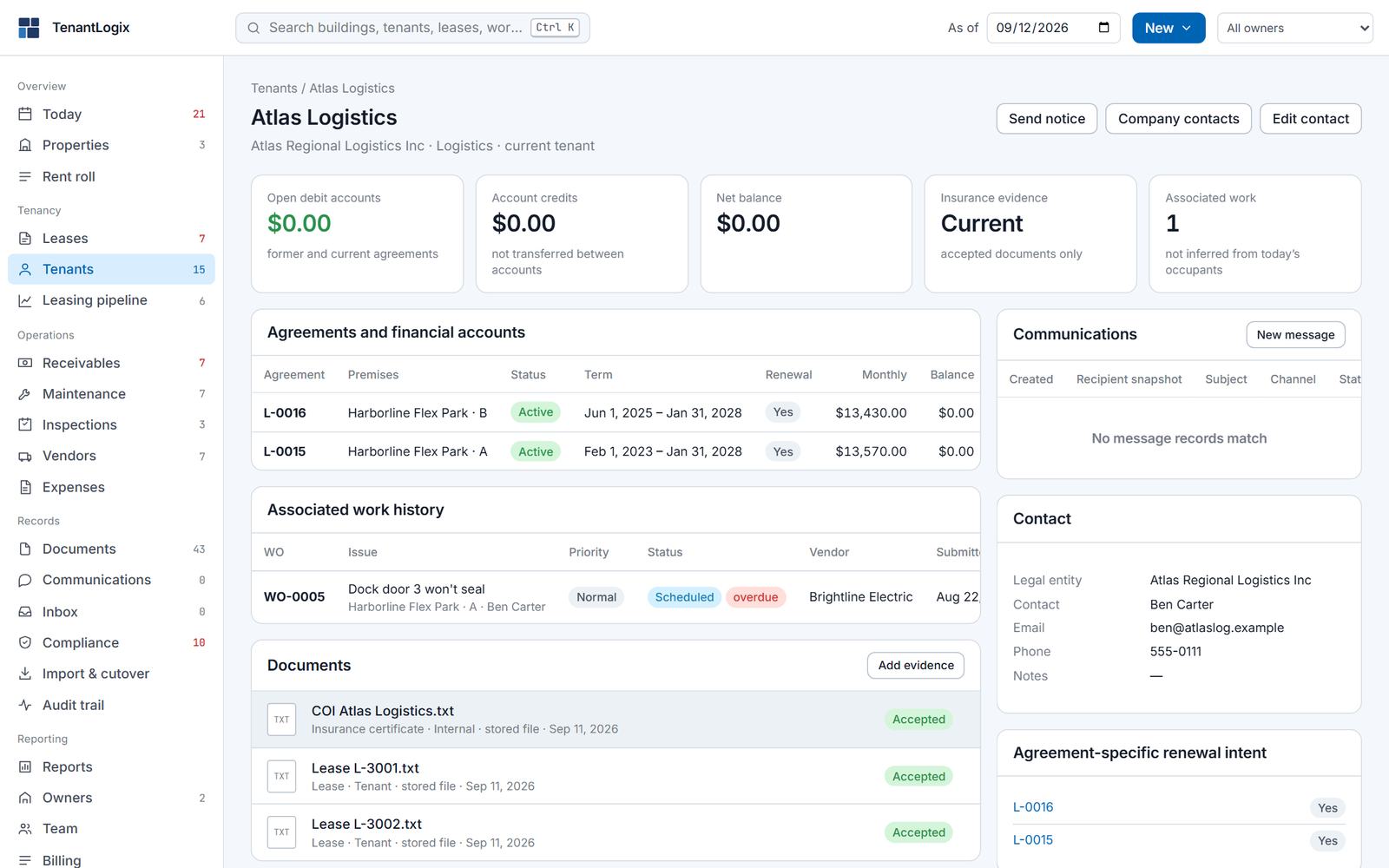
A tenant is a company with people at it. Its page holds every agreement, the financial account under each owner entity, work history, documents, messages and the renewal intent you recorded. The list shows exposure by industry and the largest tenants by rent.
15 current tenantsExposure by industrySend notice from the record
Tenant · Atlas Logistics
Tenancy · Leasing pipeline
Available space and the prospects for it.
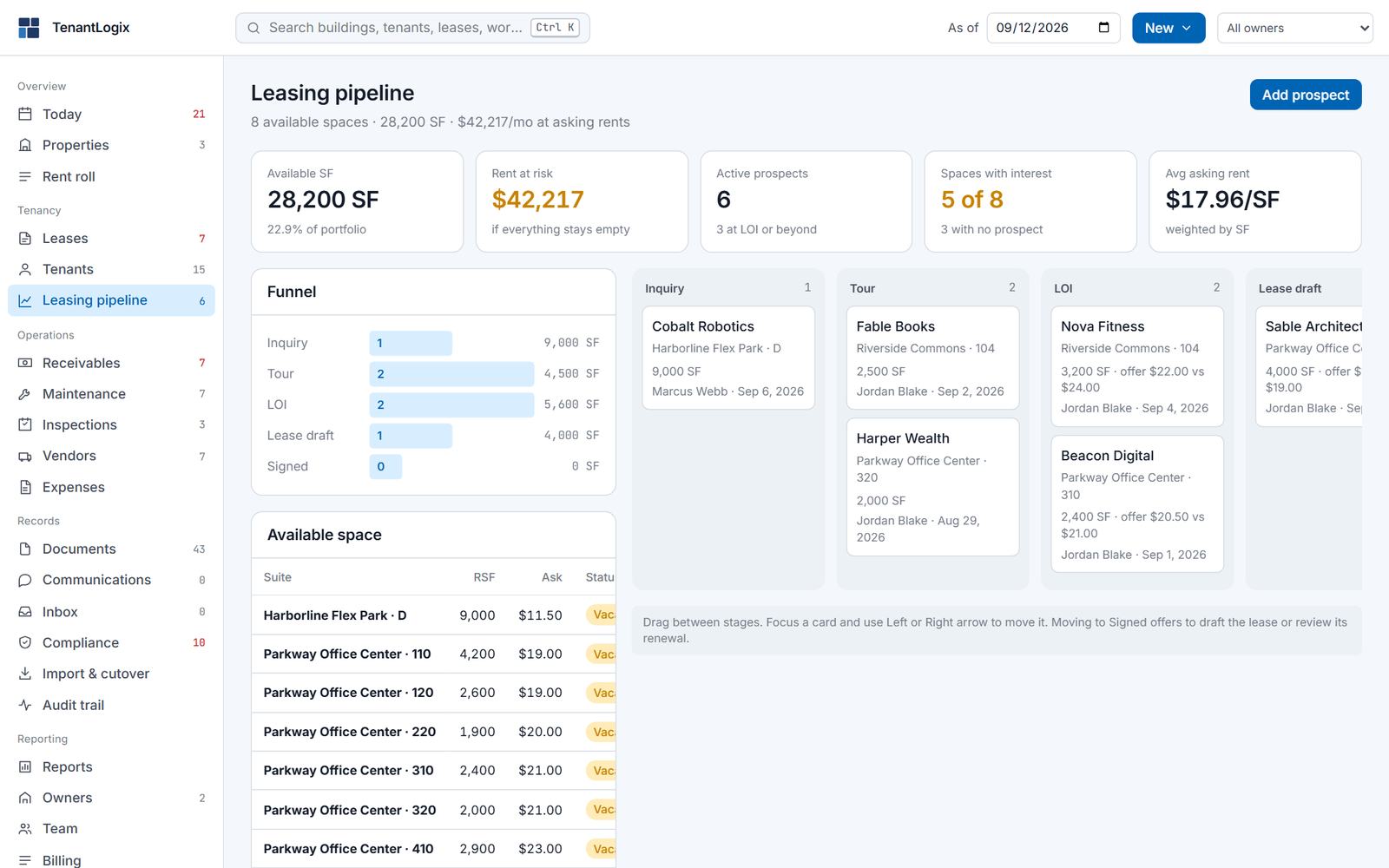
Every vacant suite with its area and asking rent sits beside a funnel: inquiry, tour, letter of intent, lease draft. Move a prospect across the board, and when the deal closes, convert it into a lease on the suite without retyping.
28,200 SF available6 active prospectsConvert to lease
Leasing pipeline
Money · Receivables
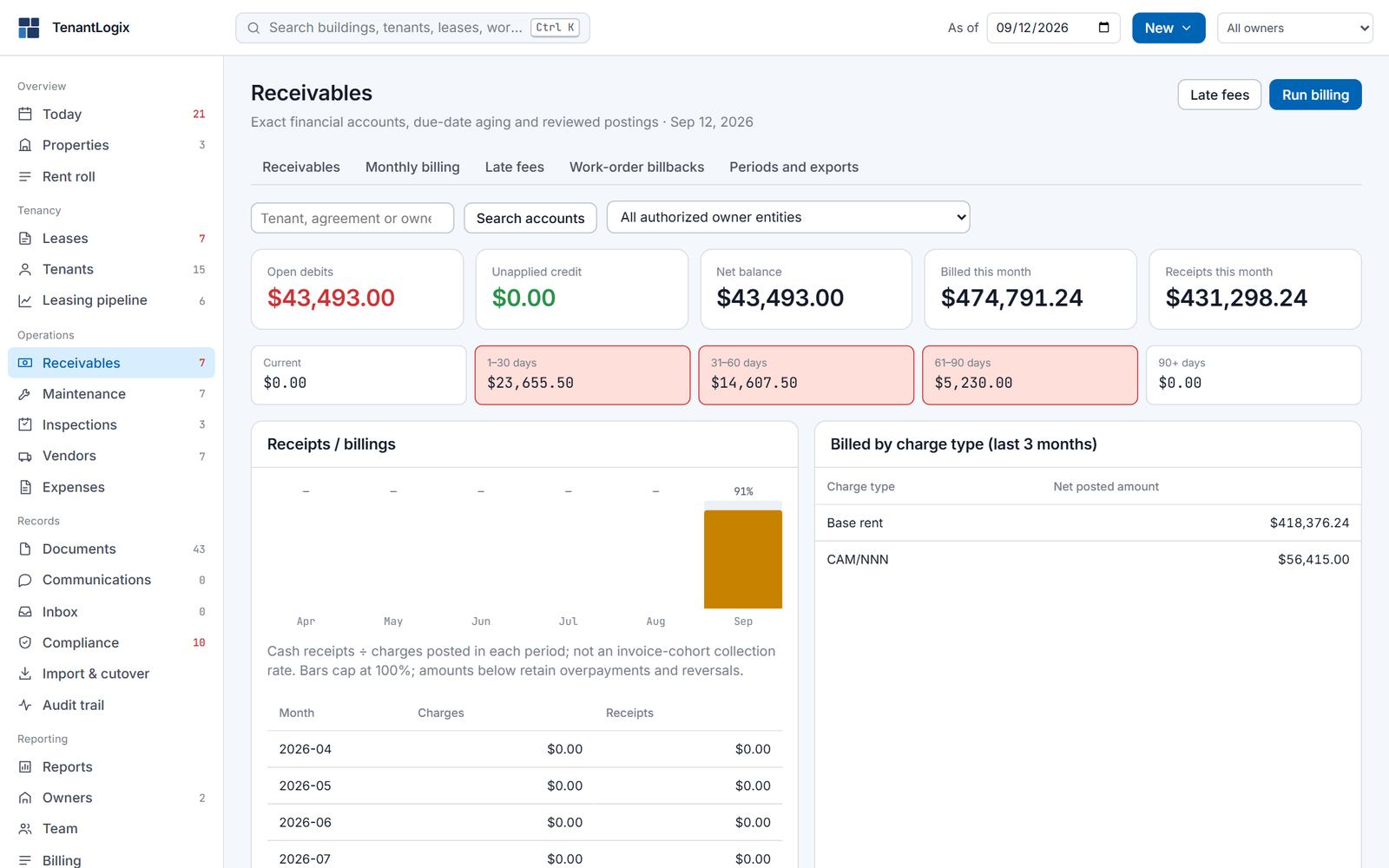
Exact accounts, aged by due date.
Every tenant has a financial account under each owner entity it pays. Aging runs in the usual buckets. Monthly billing is a run you start and review; late fees follow the rules you set; work-order costs bill back to the tenant that caused them. A posted entry is never edited or deleted. A mistake gets a linked reversal, so a closed period stays closed.
$43,493 open debitsCurrent · 1–30 · 31–60 · 61–90 · 90+Reversals, not edits
Receivables
Money · Expenses and CAM
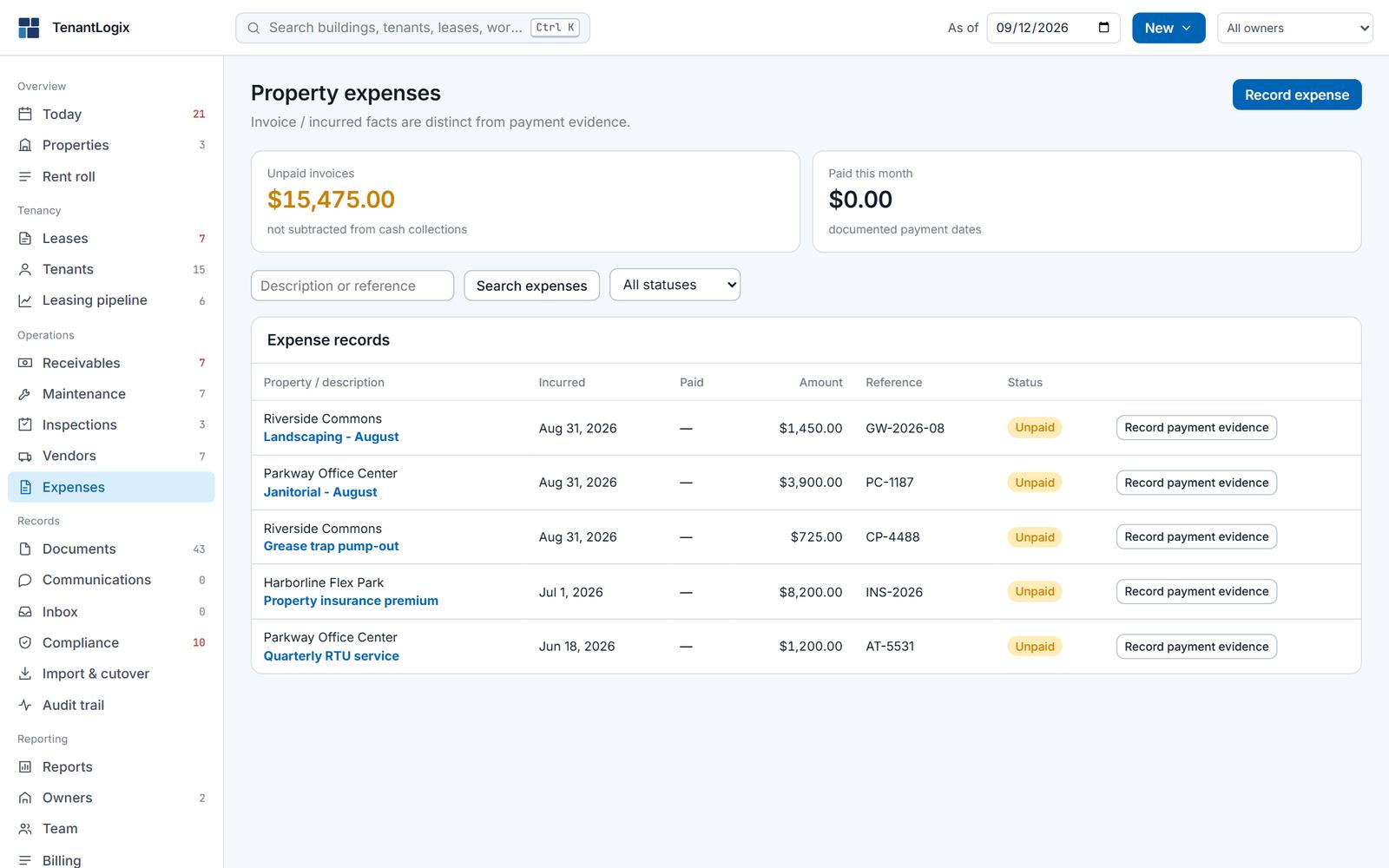
Costs you incurred, and the share each tenant owes.
Record an expense against a property when the invoice arrives and record the payment evidence when it is paid; the two are kept apart. Recoverable costs go into expense pools shared pro rata by area, with the caps in each lease enforced by the app. A CAM reconciliation is a run you review before anything posts to a tenant.
Pools pro rata by RSFCaps enforcedReview before posting
Expenses
Money · Owners
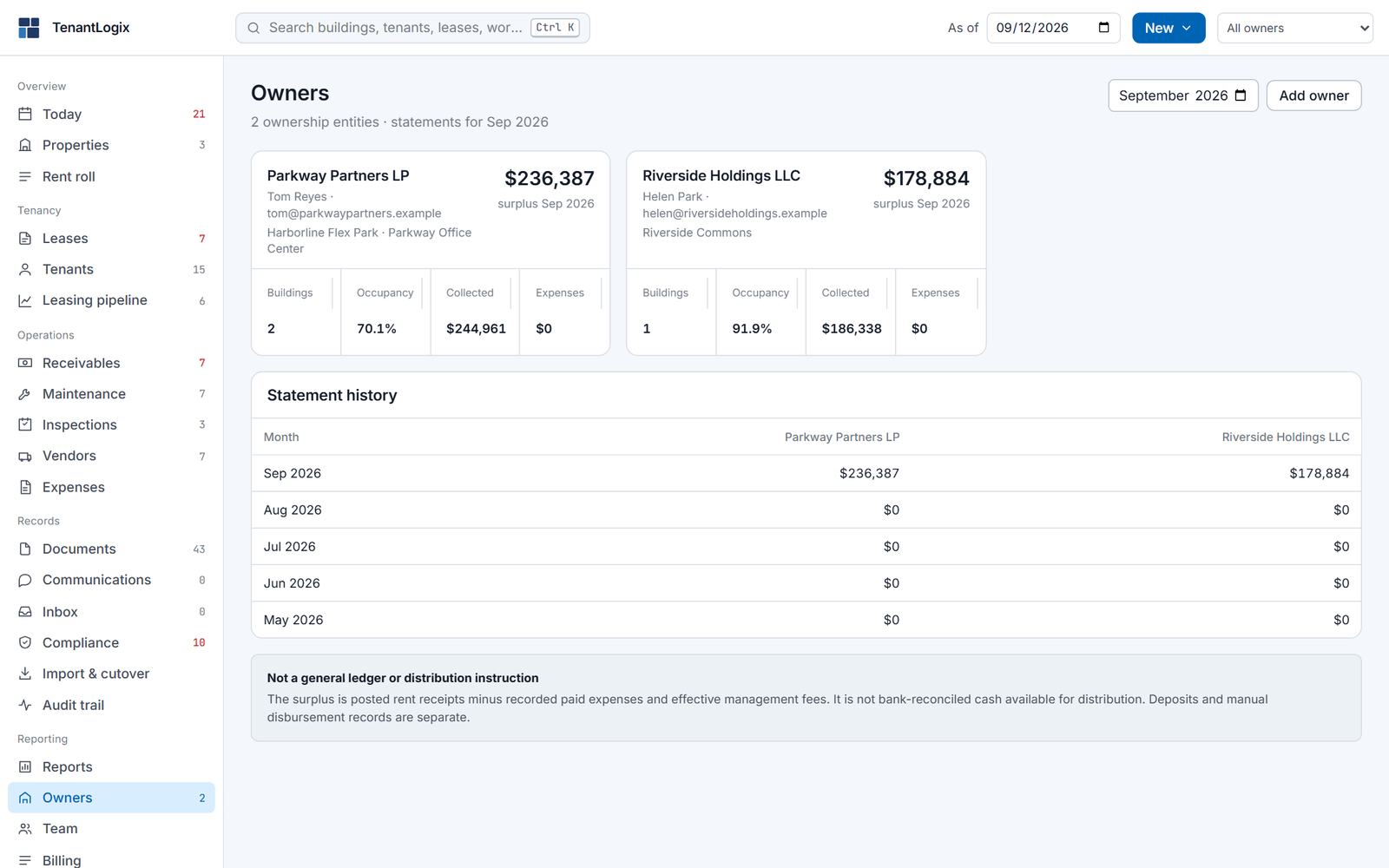
What each owner is owed, with the ledger behind it.
Ownership entities, the buildings they hold, and a monthly statement: rent collected, expenses paid, the management fee, the surplus. Issued statements are kept as exact copies. Pick one owner in the top bar and the whole app narrows to their buildings, tenants and money, which is how you work one client at a time.
Statements per monthOwner scope in the top barOwner portal
Owners
Operations · Maintenance
Who is fixing what, by when, and whether they are late.
Work orders on a board by property and priority, each with a vendor, a due date and its SLA state. Tenants raise requests from their portal and see the updates you share. Preventive tasks run on a schedule and show up on the calendar before they are due.
6 overdue vs SLABoard · List · CalendarPreventive schedules
Maintenance
Operations · Inspections
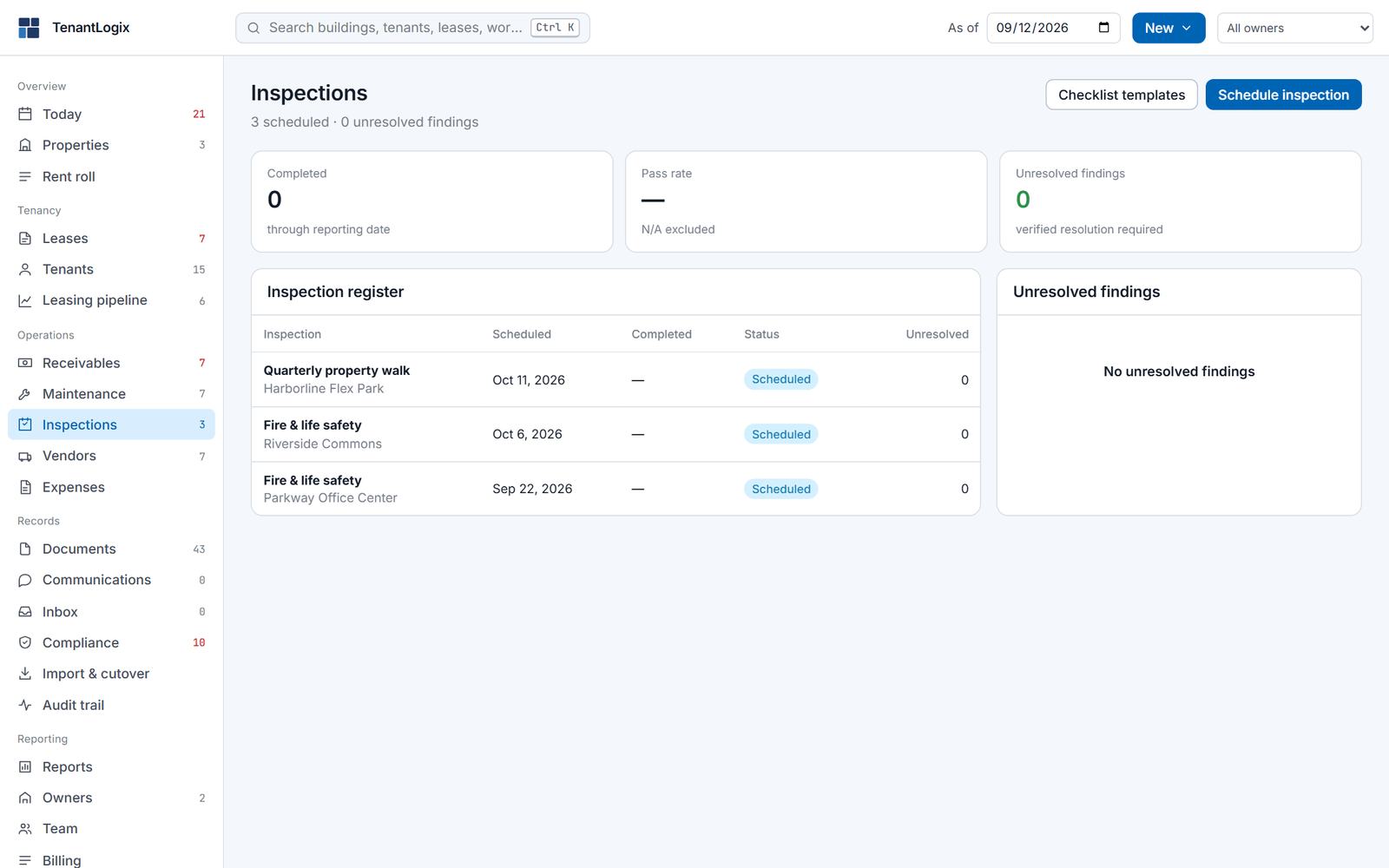
Scheduled walks, and findings that stay open.
Schedule an inspection from a checklist template, record what you found, and each finding stays unresolved until someone closes it. A completed fire and life safety inspection is what satisfies that requirement on the compliance register.
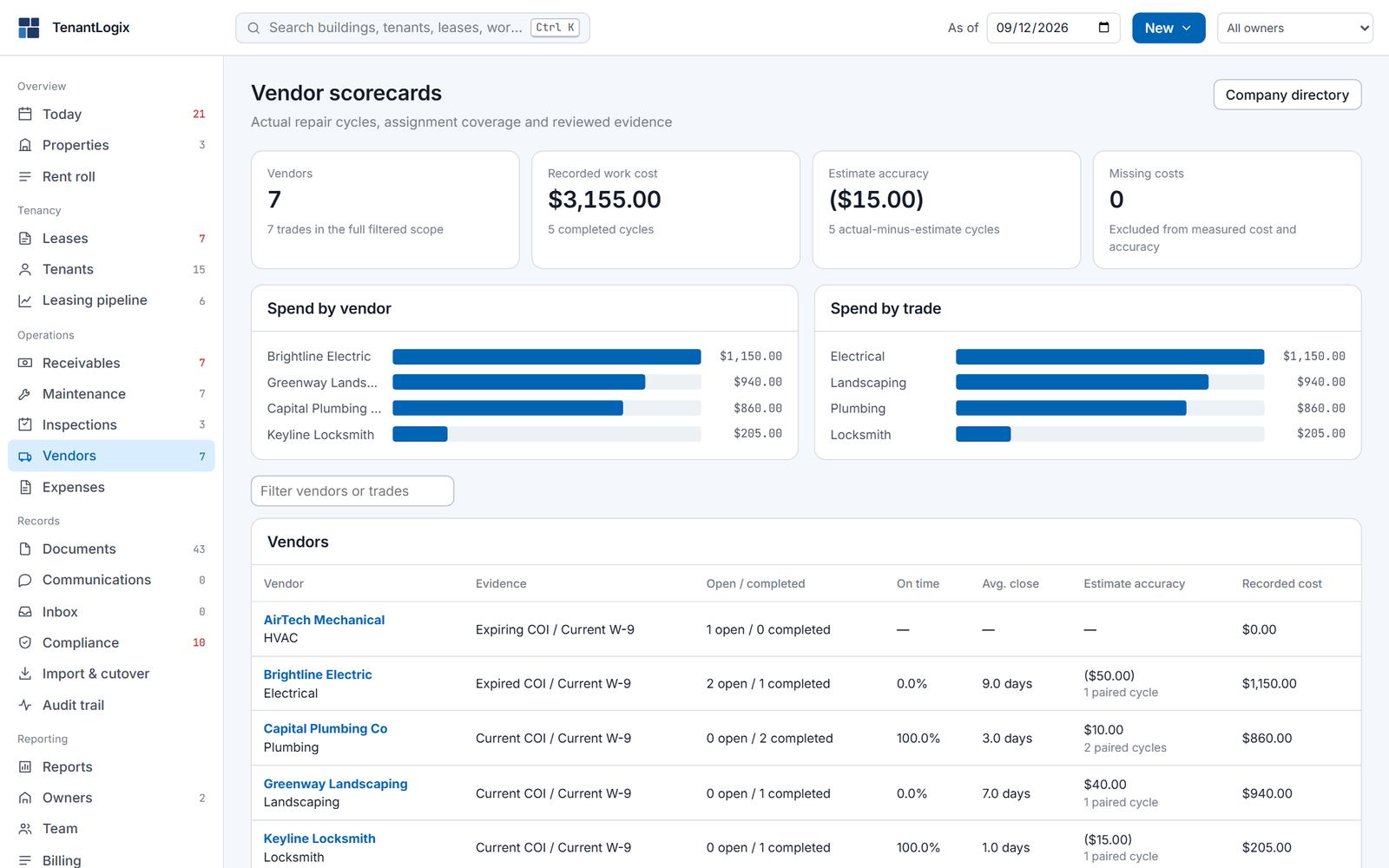
Each vendor carries its trade, its insurance and W-9 evidence with expiry dates, the work assigned to it, and a scorecard: recorded spend, on-time rate against the SLA, and average days to close. Vendors can sign in to their own portal to see the work orders assigned to them and nothing else.
COI and W-9 on fileSpend by vendor and tradeVendor portal
Vendors
Records · Documents
Files that mean something, because they are attached to a record.
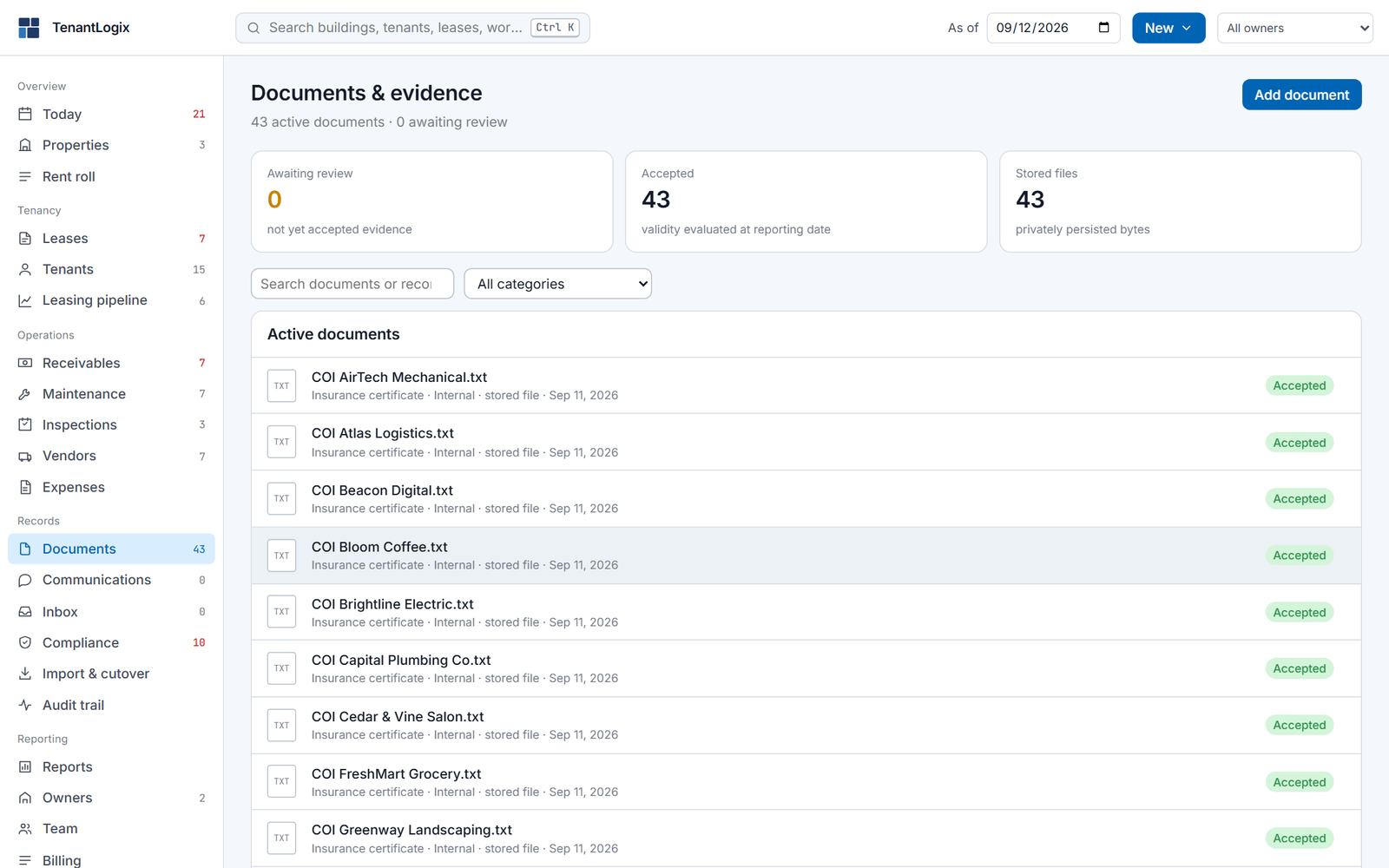
Leases, certificates, permits, invoices and photos live on the tenant, vendor, building or work order they belong to. A document is accepted by a person, carries a valid-through date, and shows up on the compliance register from that day until it expires.
43 active documentsAccepted · pending · expiredRetained source evidence
Documents
Records · Compliance
A register of what lapses next.
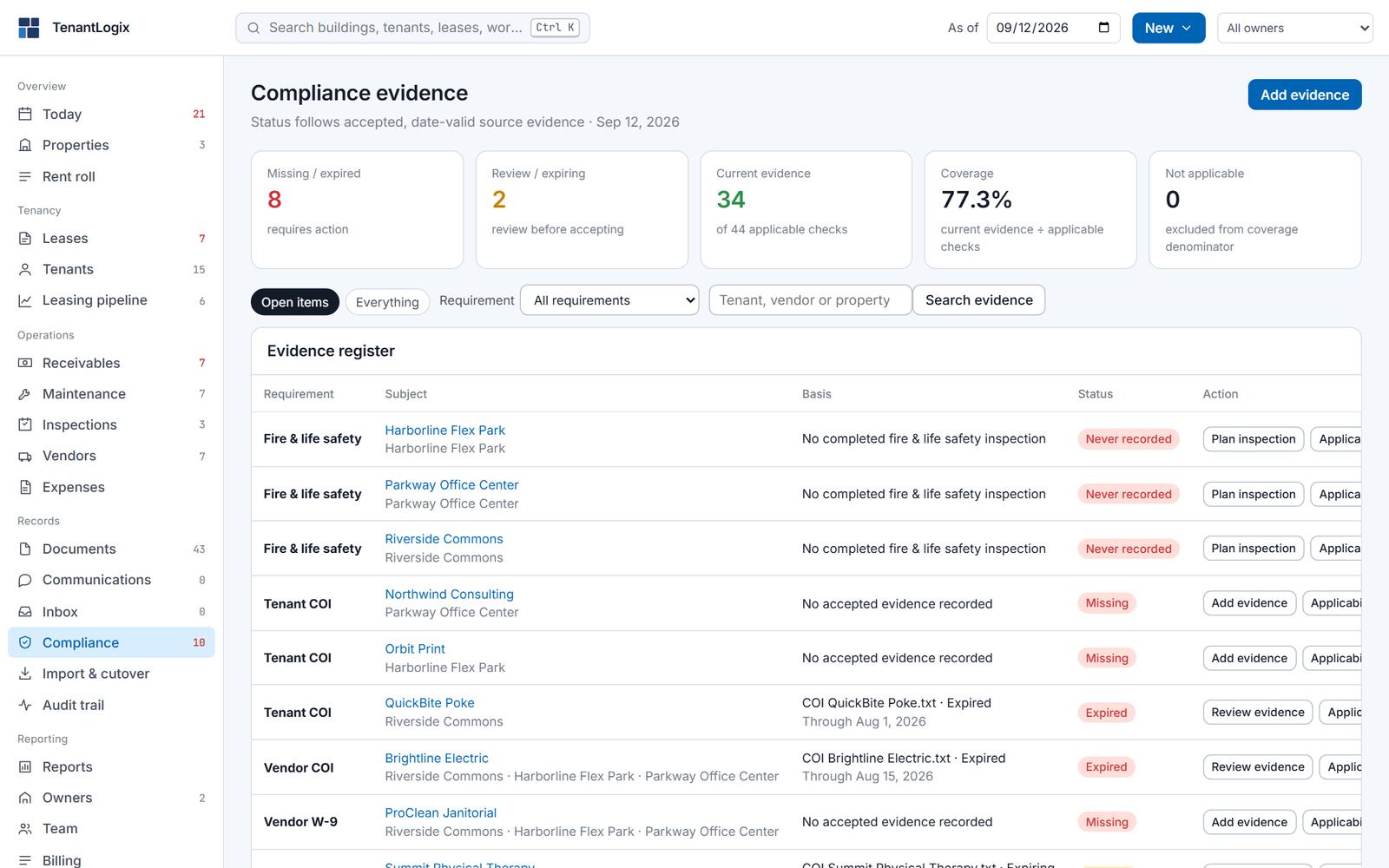
Tenant insurance, vendor insurance, W-9s and fire and life safety inspections, one row per requirement per subject. Status follows the accepted, date-valid evidence on file, so it changes on the day a certificate expires without anyone updating a spreadsheet. Coverage is current evidence over applicable checks.
8 missing or expired2 expiring77.3% coverage
Compliance
Records · Notices and inbox
Notices leave in your name. Replies land on the record.
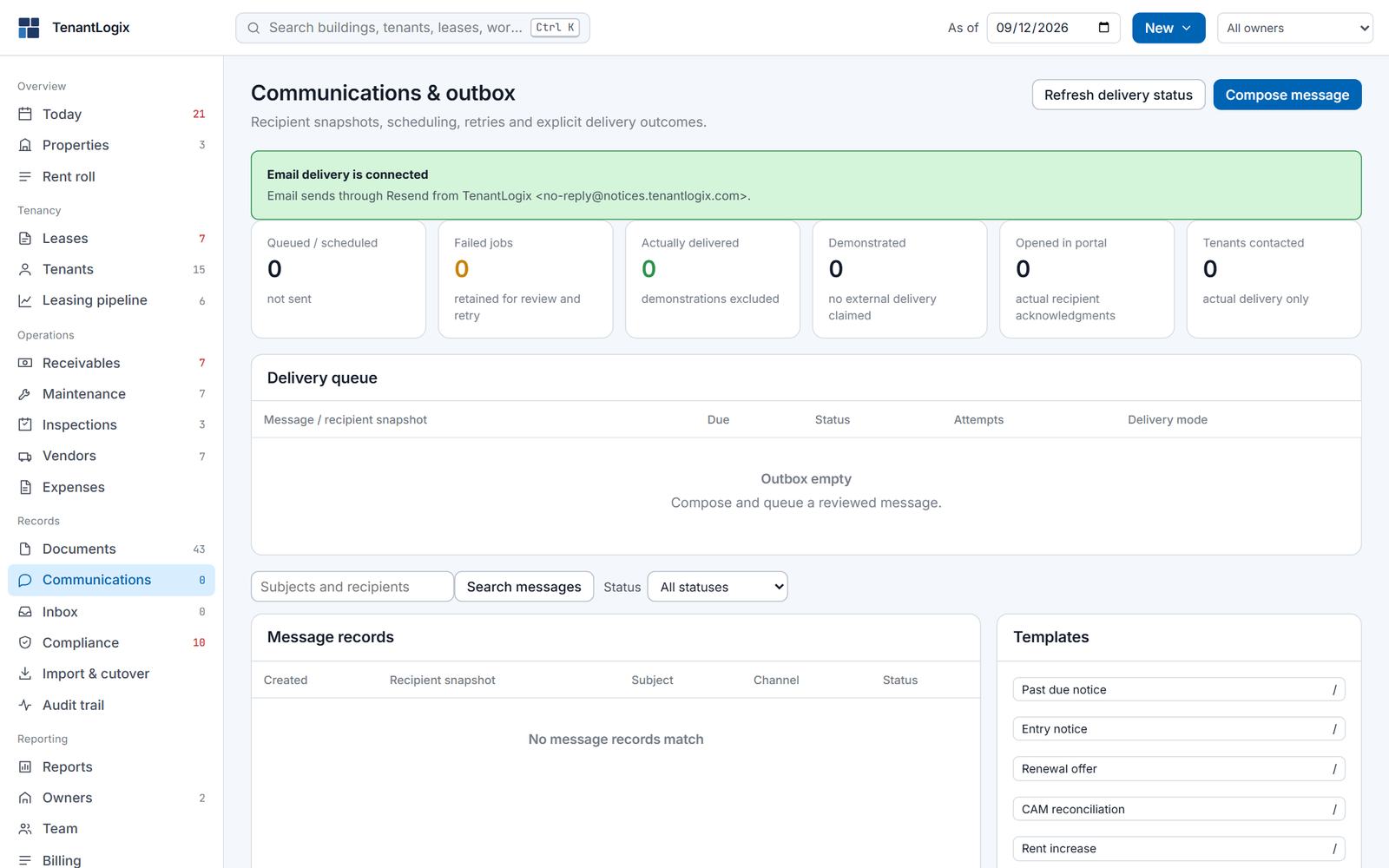
Templates fill from the live lease: the rent due, the balance, the option deadline. Send by email under your company name from an address we run, so there is no DNS to set up. Turn on automatic notices and the app sends rent reminders, late notices, lease expirations, option deadlines, insurance expiry, SLA breaches and preventive tasks due when they fall due. Tenant notices go to tenants with a portal login. Staff notices go to the role that handles them: lease dates to leasing and property managers, SLA and preventive work to the maintenance coordinator. Certified mail goes through your own Lob or PostGrid account. When a tenant replies, the message lands in the Inbox on that tenant, where your team can see it.
Email through TenantLogixCertified mail, your Lob or PostGrid keyAutomatic notices, 7 kinds
Communications
Records · Audit trail
Who changed what, when it took effect, and why.
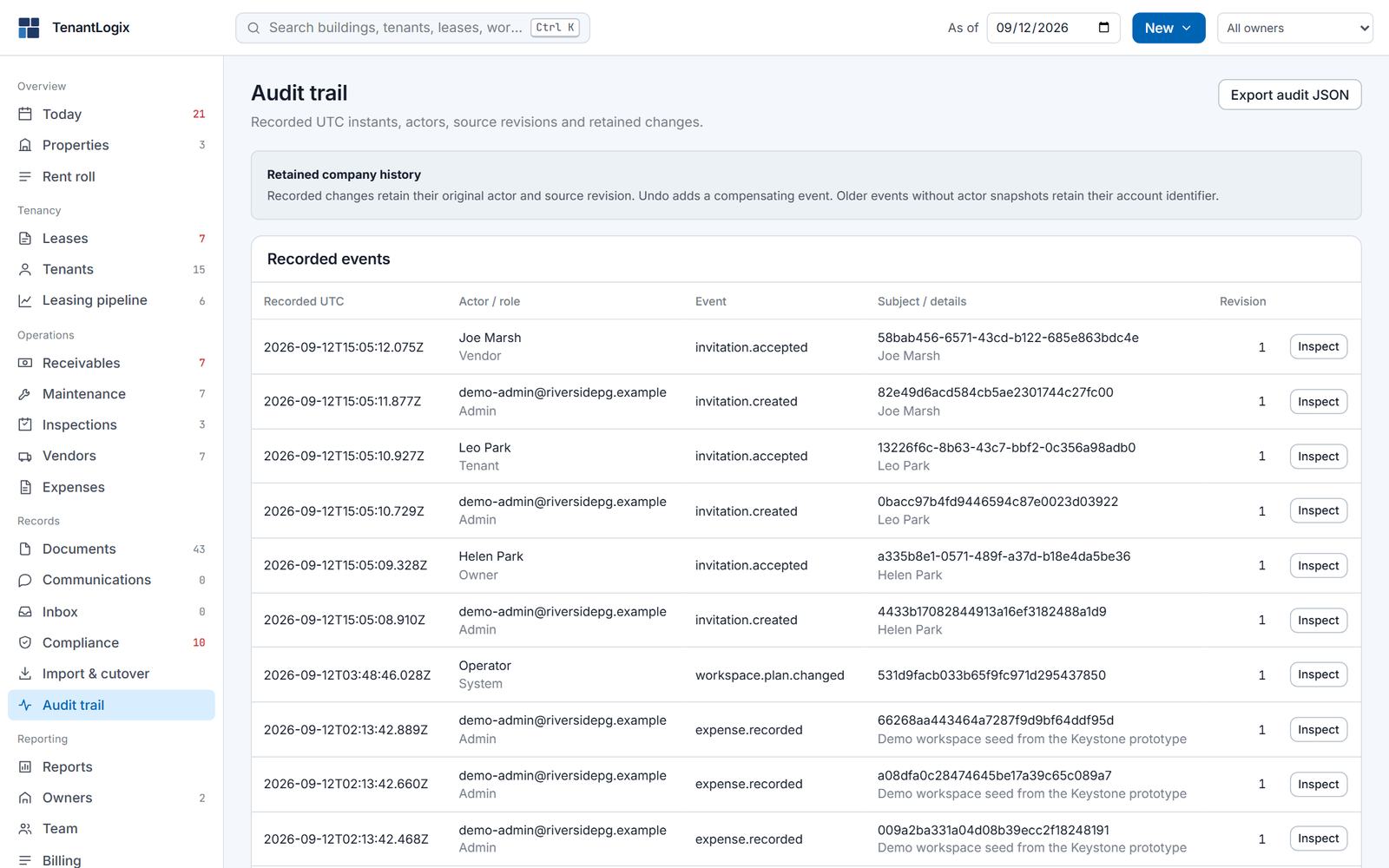
Every command is recorded with its actor, role, subject and revision, in UTC. Undo during your session adds a compensating event rather than erasing the first one. Export the whole trail as JSON whenever an owner or an auditor asks.
Actor · role · revisionUndo is a new eventExport audit JSON
Audit trail
Records · Import and cutover
Bring the spreadsheet in. Reconcile it. Then go live.
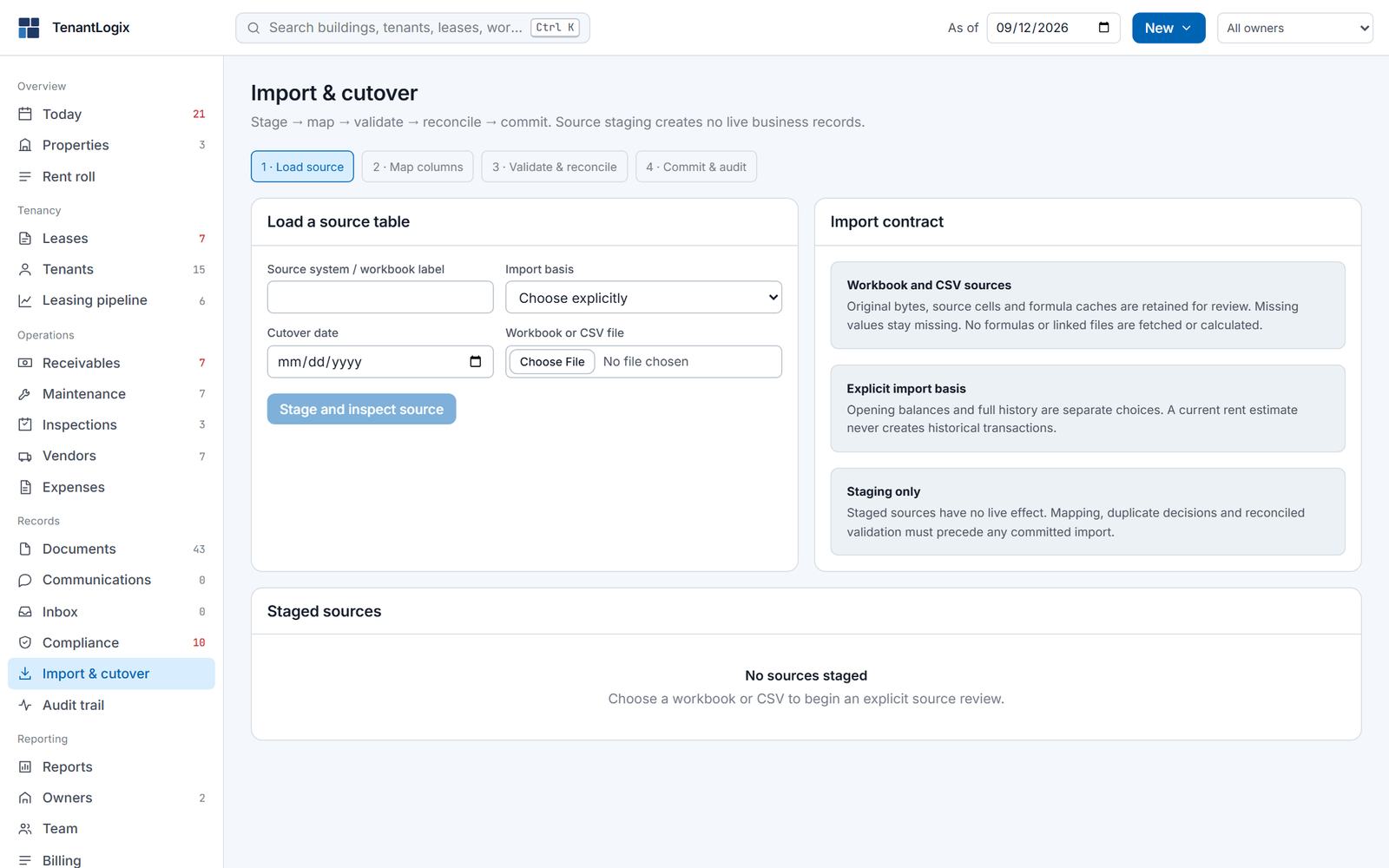
Load a workbook or CSV, map its columns, and the app validates it and shows what it would compute from your rows against what the sheet says. You settle the differences, choose a cutover date, and commit. Until you commit, a staged source changes nothing. Imported entries keep their sheet and row number for good.
Load · Map · Validate · CommitStaging has no effectRow-level provenance
Import and cutover
People · Team and roles
Each person sees the screens their job needs.
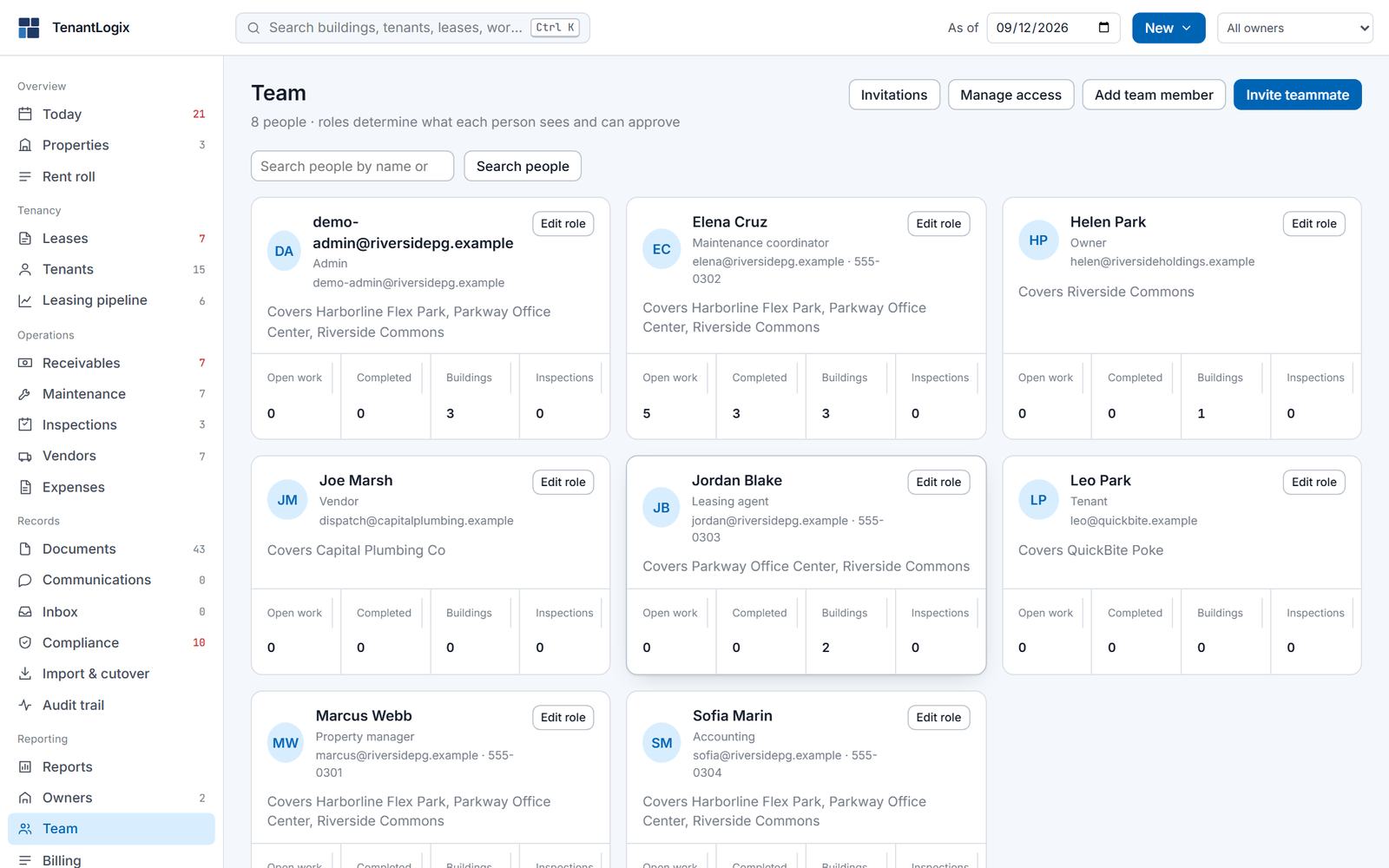
Staff roles are Admin, Property manager, Accounting, Leasing agent and Maintenance coordinator. Owners, tenants and vendors get portal roles. Invite someone by email, scope them to the buildings they cover, and the server enforces what each role can do on every request. On Manager and above an Admin can edit the role policy itself.
5 staff roles · 3 portal rolesScoped to buildingsEnforced on the server
Team
People · Portals
Tenants, owners and vendors see their own records. Nothing else.
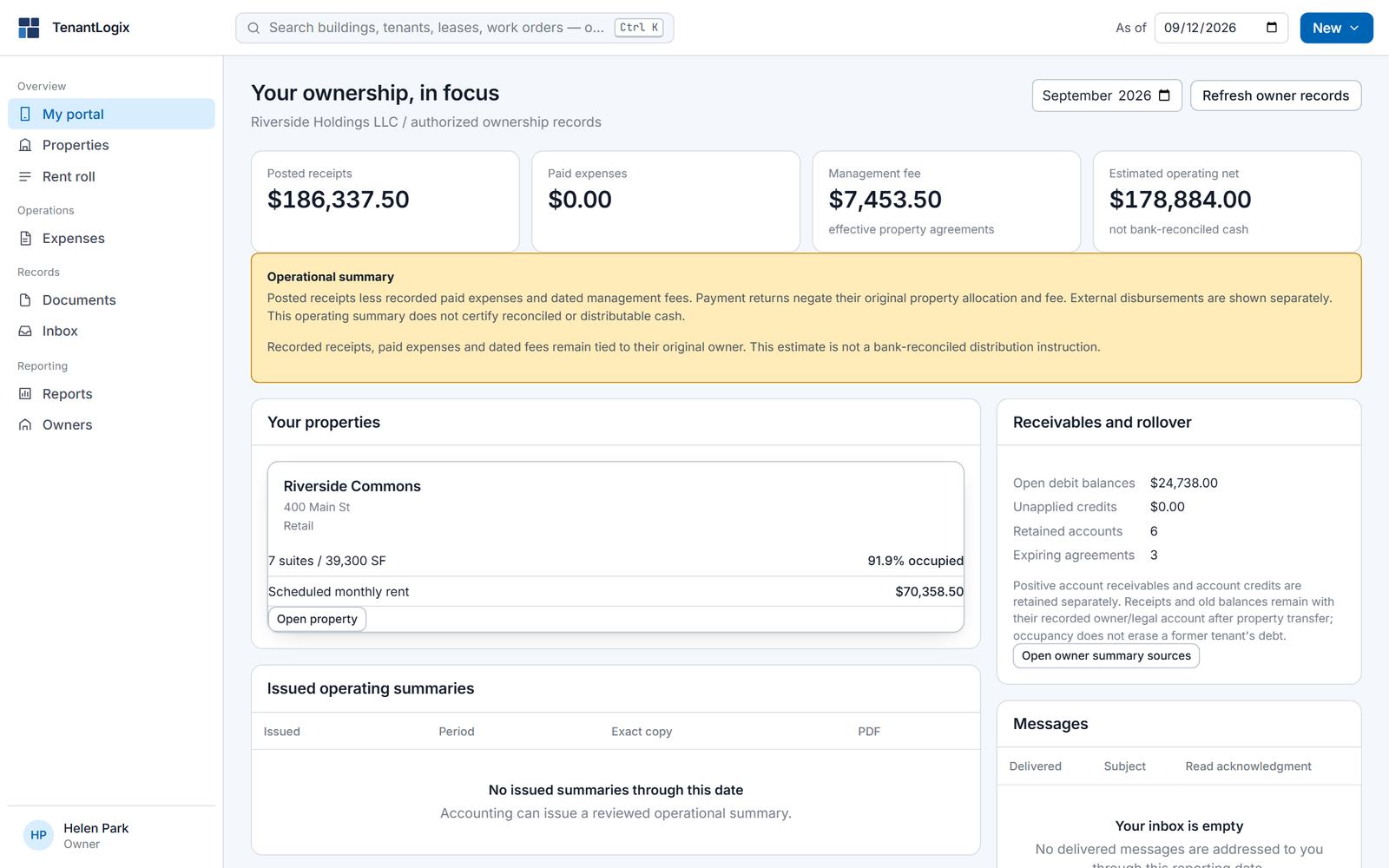
A tenant signs in to their balance, agreements, ledger, documents, messages and maintenance requests. An owner sees their properties, receipts, rollover and operating summaries for the month. A vendor sees the work orders assigned to them. An Admin can switch each portal on or off for the company in Settings.
Tenant portalOwner portalVendor portal
Owner portal
People · Settings and billing
Defaults, mail, portals and your plan, on two pages.
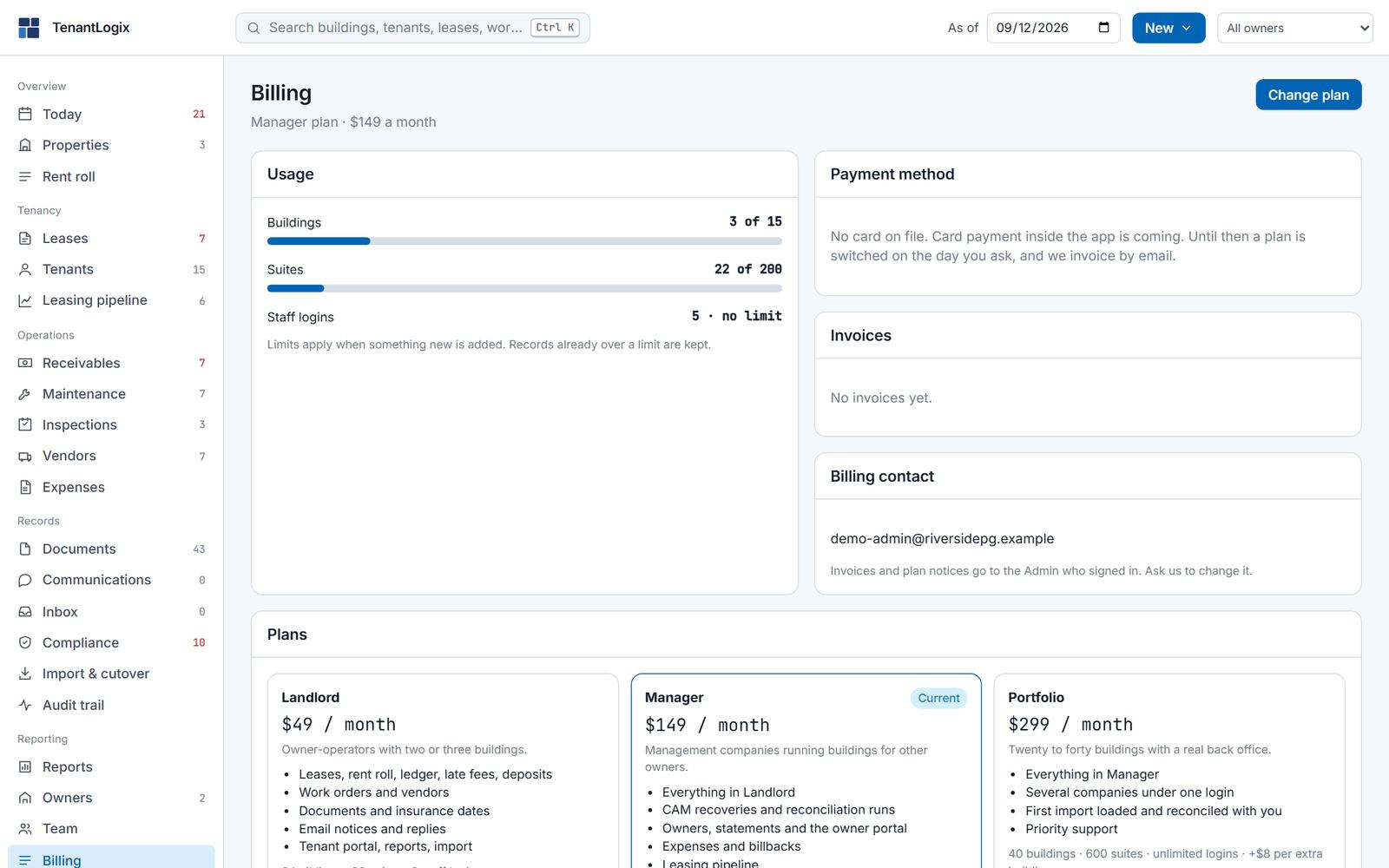
Settings holds the billing defaults (due day, grace period, late fee), which portals are on, the sender name and reply-to for outgoing mail with a test send, the automatic notices you want, and the certified mail provider. Billing shows what you use against your plan's limits and lets you change plans.